Name the trip like a local
Pine Bay - north shelf
- Place name format used on every trip tab
- Pairs with a date label such as 19 OCT
- Plain text, nothing to redeem
Tick off a 12-item kit list, watch the 0/10 readiness badge, log temperature, wind and ice thickness, then record each perch, pike or trout by length and weight.
Three ready-to-paste sample notes built from the app's own screens. Choose one, copy it, and use it in your first trip.
Pine Bay - north shelf
Ice 18 cm, SAFE ICE, wind 12 km/h
Perch 24 cm, 300 g
These are sample diary entries, not rewards, discounts or payment offers. Nothing here is a bonus code, and copying text does not unlock anything in the app.
Six working parts, each one visible in the app's own screens.
The home dashboard opens with TRIPS, CATCHES and BEST CM. The sample season reads 1, 1 and 24. Tiles below lead to trip history, season stats, the fish guide and ice spots.
A progress bar and a 0/12 counter track the list. ESSENTIAL covers the ice auger with 150 mm blades, a 60 cm ice rod, two tip-ups, a tackle box and a scoop skimmer. COMFORT starts with the sled.
A 0/10 READY badge sits in the header of GEAR, SAFETY, CATCH and WEATHER. A red line, "Critical safety items are still unticked.", stays pinned above GO TO SUMMARY.
The Catch details dialog offers species chips (Perch, Pike and a scrolling third chip that appears to read Trout), arrow steppers for LENGTH and WEIGHT, a NOTE field and CANCEL or CONFIRM.
Step through -8 C, 12 km/h wind and 18 cm of ice. The thickness card turns green with a SAFE ICE label. Choose CLEAR, CLOUDY, SNOW or WINDY, add a line to remember, then LOG WEATHER.
Trip history stamps each outing with a date such as 19 OCT. Season stats, a 6-species fish guide and 3 ice spots turn single trips into a family record.
The order in which the app's screens are designed to be used.
Structure. Pocket Ice Catch is a card-based Android app. The home screen is a pale dashboard of counters and tiles. START TRIP opens a trip screen with four tabs, GEAR, SAFETY, CATCH and WEATHER. They share one header with the place name, the date and the readiness badge.
Data. A trip gathers four kinds of input: ticked gear items out of 12, safety items counted out of 10, catches with species, length in cm, weight in g and a note, and weather with temperature in C, wind in km/h, ice thickness in cm and a sky condition. The home counters for trips, catches and best length summarise these entries.
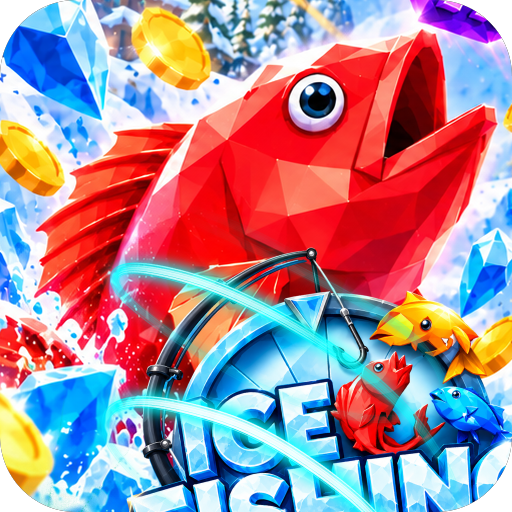
A note on the store artwork. Three of the seven store images use the title ICE FISHING Live and show multiplier gems (10x, 5x, 7x, 4x), gold coins and a prize wheel. The four interface screens show only the diary described on this page. We did not see a wheel or coins inside the app, so judge the app by its screens and the Google Play listing.
| Platform | Android |
|---|---|
| Package ID | com.CpW9mZrL.xN5KjVq |
| In-app subtitle | FAMILY ICE DIARY |
| Store description | Enjoy a cheerful icy world filled with colorful winter-inspired visuals. |
| Gear checklist | 12 items, ESSENTIAL and COMFORT groups |
| Readiness badge | 0/10 READY |
| Fish guide | 6 species |
| Saved ice spots | 3 |
| Units | cm, g, C, km/h |
| Version, size, OS | Not shown in the reviewed material |
| Age rating, ads, purchases | Not shown in the reviewed material |
| Material reviewed | 25.11.2026 |
Android, delivered through Google Play. Install Pocket Ice Catch, name your spot, and tick the first box on the gear list.
Download Pocket Ice CatchPrice, size, Android version requirements, age rating and ads or purchases information were not visible in the material we reviewed. Check the Google Play listing before you install.